 SearchChamp
Site settings
Per-site configuration and where to reach workspace-wide controls.
Site Settings is where you configure the selected site and jump to workspace-wide controls.
Site panel
Shows this site's domain, platform, verification status, and creation date. The left sub-nav covers Content settings, Site Intelligence, Notifications, and Integrations.
Below it, a Workspace panel links out to the org-wide tabs — Organization (name, default locale, time zone), Team (invite members, manage roles), Billing (plan, seats, invoices, payment method), and Connected accounts. They open in the same tab so you can jump back via the sidebar.
At the bottom sits a Danger zone: archiving a site hides it from the workspace and pauses all scheduled work for it. Data is preserved indefinitely and an admin can restore it from the archived-sites tool.
Integrations
Integrations connects external tools so the agents have richer signals to act on.
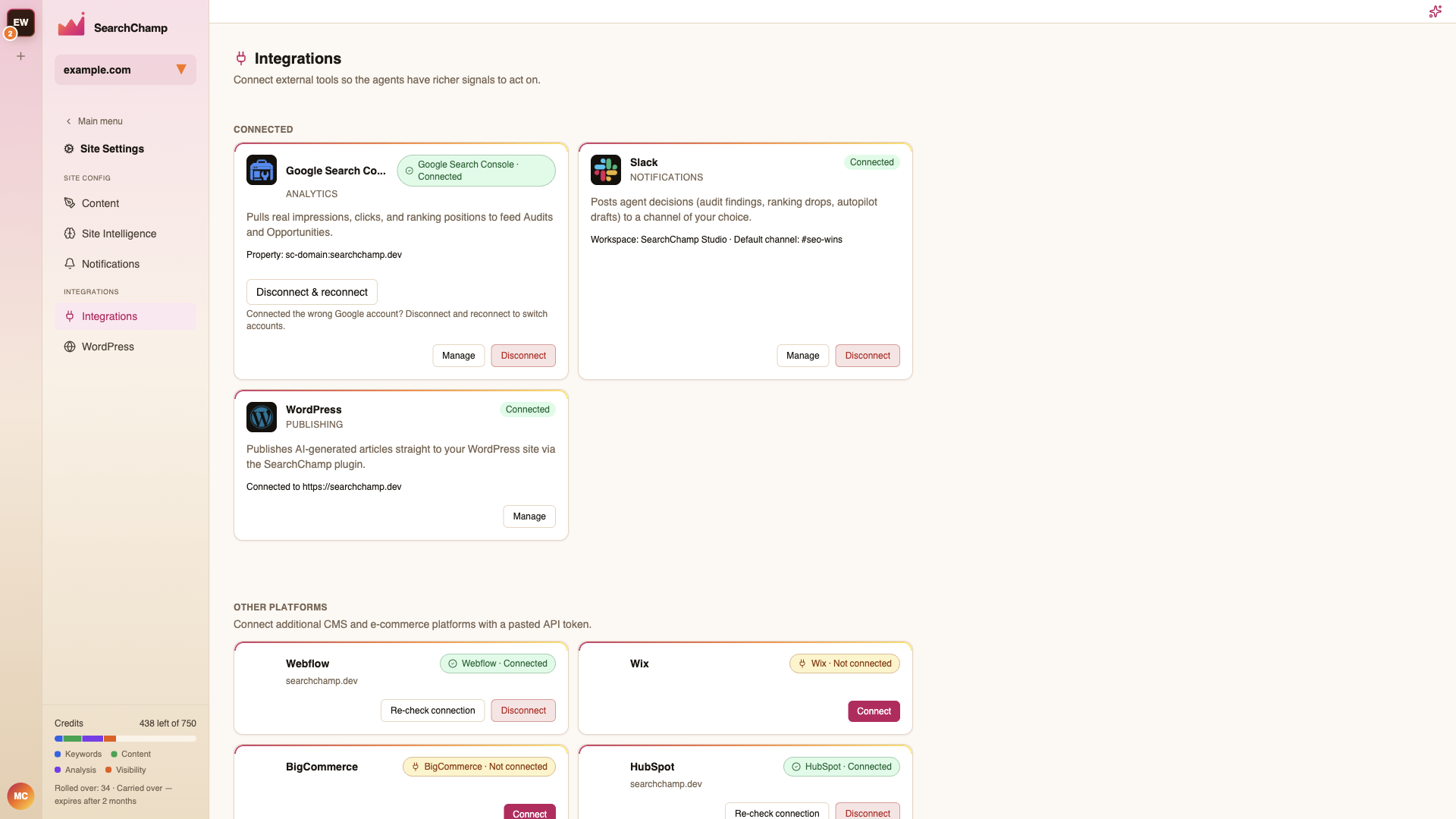
Each card states what the connection actually buys you — Google Search Console, for example, pulls real impressions, clicks, and ranking positions to feed Audits and Opportunities — plus the connected property and a Disconnect control.
Connect the analytics sources first: several surfaces (Audits, Opportunities, the Dashboard funnel) are noticeably thinner without them.
Workspace controls
The workspace-wide tabs open under your account: Organization (workspace name, default locale, time zone), Team (invite members, manage roles), Billing (plan, seats, invoices, payment method), and Connected accounts (WordPress, Shopify, GA4, and Search Console for this site). A Danger zone holds destructive actions.