 SearchChamp
Autopilot
Let SearchChamp queue articles for you, on a schedule you control.
Autopilot queues new articles on a schedule and decides where they publish, so the content pipeline keeps moving without you starting each piece by hand.
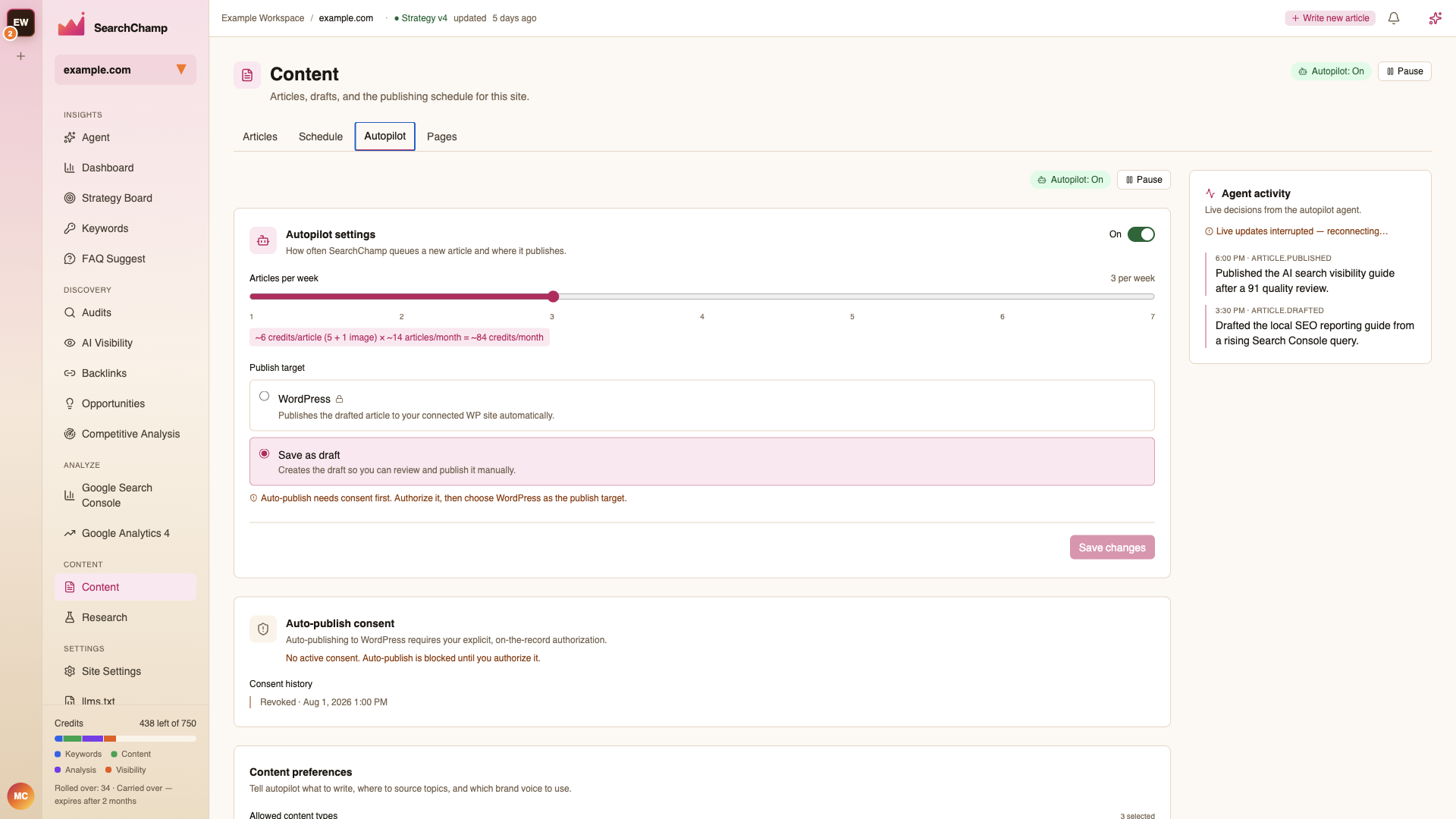
Settings
Autopilot settings controls how often SearchChamp queues a new article and where it publishes. The On / Pause toggle is repeated in the Content header, so the state is visible from every tab.
What it does and doesn't do
Autopilot queues drafts that use your Brand Voice. Automatic publication requires the current connected CMS, publication consent and configured quality gate. A draft held for quality stays available for review; a queue or dispatch receipt does not confirm publication at the destination.
Recover an original held draft
The controlled original-draft recovery workflow reuses the same article and brief. It is available to an Owner, Account Admin, or Editor assigned to the site, on an eligible paid account. The original draft must still be unchanged and held for quality, with its original successful five-credit charge and no refund or successful publication.
A recovery request waits for the site's natural cadence. Requesting it does not create a new article, claim another opportunity or immediately start generation. Current Autopilot settings, publication consent, destination connection, spending admission and cadence still apply when it becomes due. Pausing Autopilot pauses admission; changing the held draft or its review before admission blocks that request.
Once admitted, recovery uses a distinct generation run and queue record linked to the original draft. Publication requires a new rewrite and judge PASS, followed by the current quality threshold and normal publisher checks. Recovery does not clear an old quality hold or lower the threshold. A failed, blocked or newly held recovery is terminal: there is no automatic second recovery.
Recovery shares the existing three-retry budget. It preserves the original debit and refund history, does not charge another five article credits, and records actual provider usage separately. Provider cost estimates are not verified invoices; missing usage stays unknown. Repeating the identical request key returns the original recovery request rather than another run.
The Autopilot activity feed records requested, admitted, held, failed and blocked outcomes. A successful dispatch does not confirm publication. Confirm the publisher's actual status and the connected CMS's post and public link before treating the recovery as published.