 SearchChamp
Content
Articles, drafts, and the publishing schedule for this site.
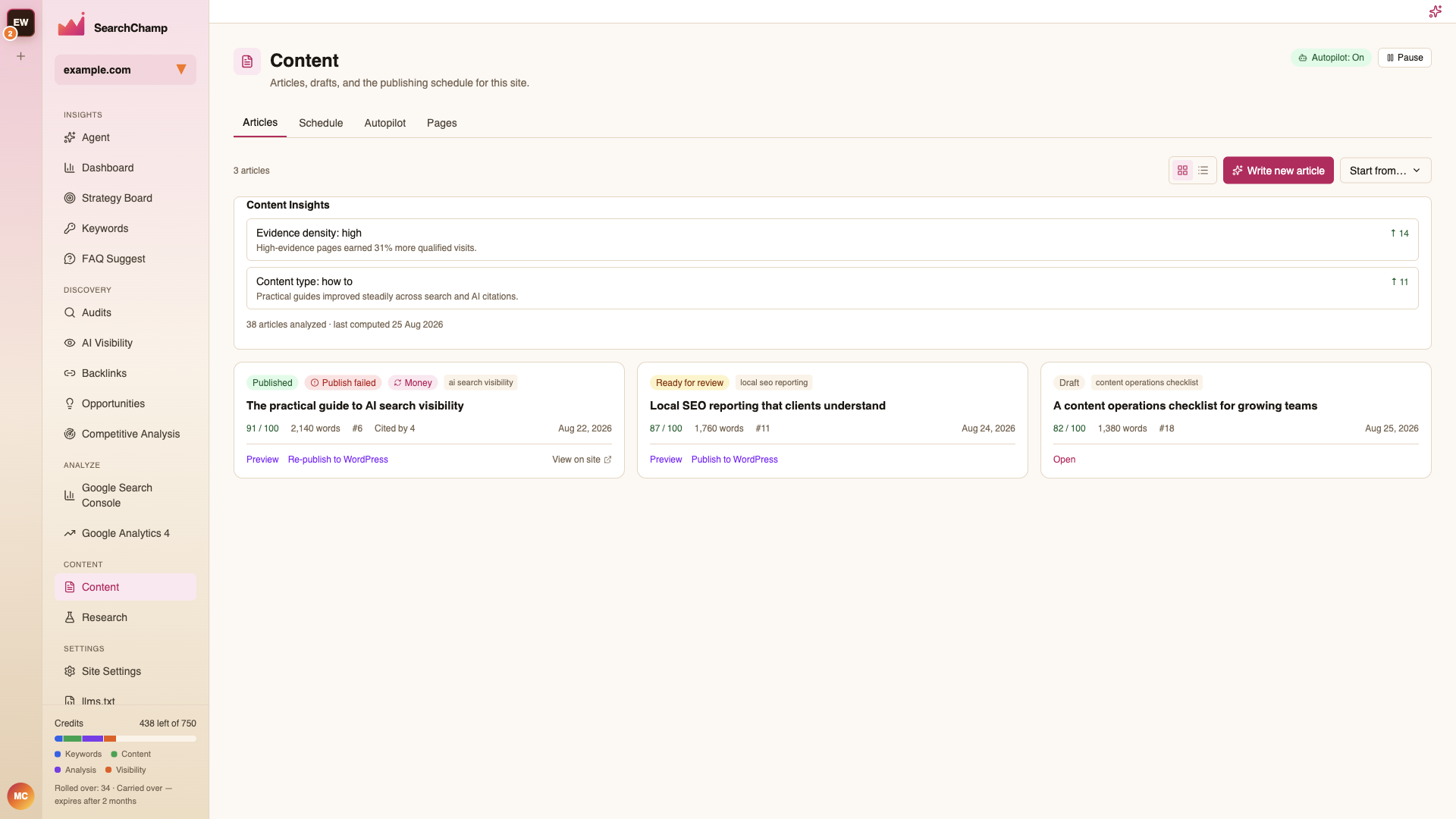
Content is where articles are written, reviewed, scheduled, and published. Four tabs: Articles, Schedule, Autopilot, and Pages.
Articles
Your drafts and published pieces, with the article count and a Write new article button. Start from… offers the other entry points.
Content Insights sits above the list and reports what's working — for example Evidence density: high with the observation that high-evidence pages earned more qualified visits. Treat it as a steer on how to write the next one, not a score to chase.
The header also shows Autopilot: On / Off with a Pause control, so you always know whether articles are being queued for you.
Writing an article
Write new article opens the setup screen.
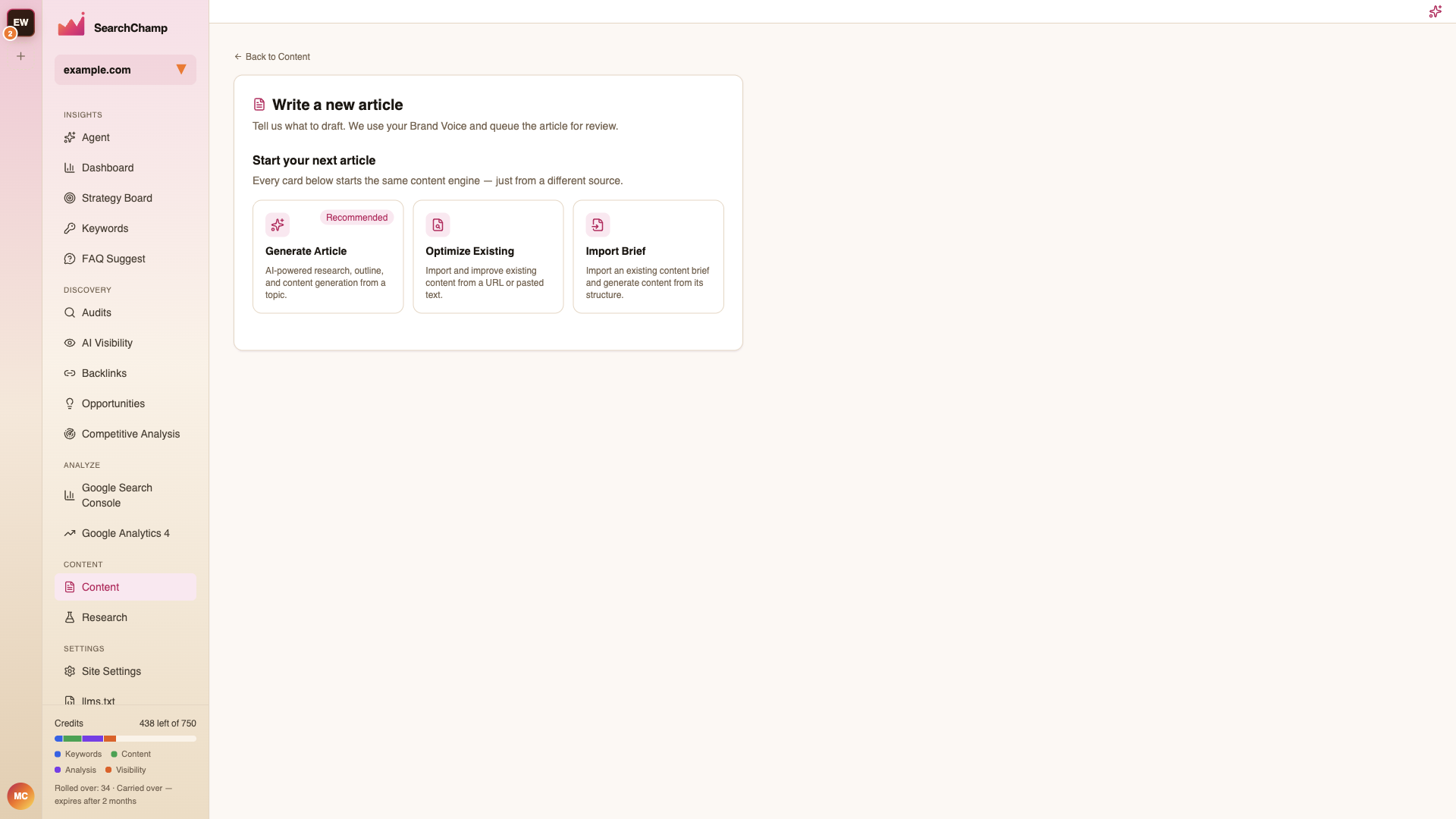
Every card starts the same content engine from a different source — a recommended topic, a keyword, a brief you import, or an existing page you want to improve. Drafts use your Brand Voice and are queued for review rather than published straight away.