 SearchChamp
Page Deep Dive
Break down a single competitor page to see why it ranks.
Page Deep Dive analyses one page — usually a competitor's — and reports what it's doing to rank.
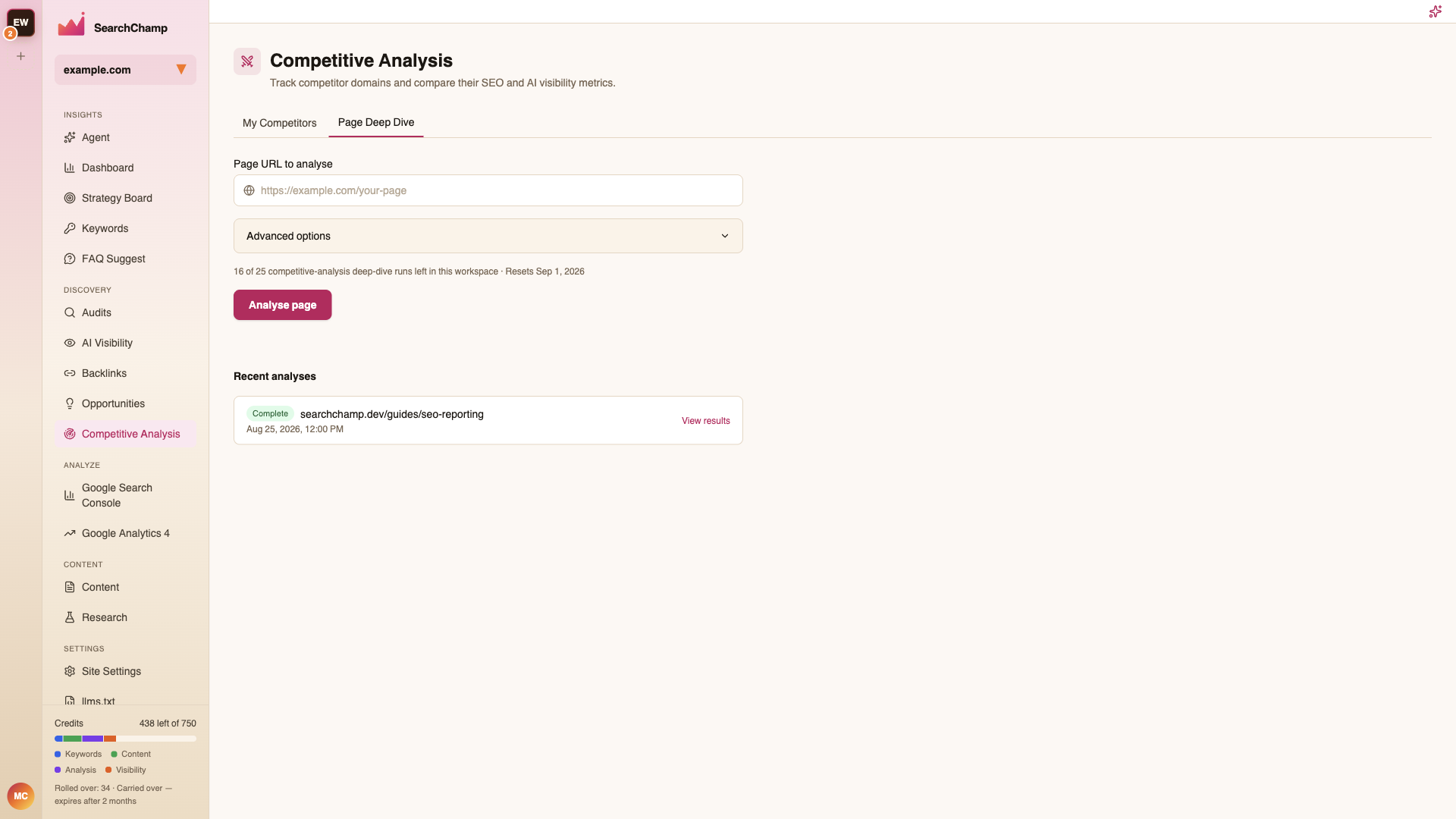
Running an analysis
Paste a Page URL to analyse and press Analyse page. Advanced options lets you adjust the run before it starts.
Each paid analysis uses 3 competitive-analysis credits. The form shows the raw credit allowance, for example 50 of 50 competitive-analysis credits left. You need at least 3 credits to start one analysis. Trial accounts instead show their lifetime limit of 3 runs; those trial runs do not use paid credits.
Retrying an analysis
A failed analysis whose credits were refunded can be retried with Try again. This starts a new analysis and uses 3 credits if you have a paid plan. The failed result remains available.
If a request loses its connection, retry with the same inputs or check recent analyses. Replaying an accepted submission returns that analysis rather than charging for a second one. Changing the inputs starts a new submission.
The same page with the same resolved competitors has a one-hour cooldown after a non-failed analysis. Changing the competitors allows a different comparison; failed and cancelled analyses do not enforce that cooldown. An in-progress limit, a duplicate submission, or a credit service failure is shown separately from insufficient credits.
App submission contract
Page Deep Dive is an app-only workflow, not a public API-key REST route or MCP tool. Its signed-in app endpoint accepts an optional UUID submission_id. Keep that ID stable across uncertain transport retries; use a new ID for a deliberate new analysis. An accepted replay returns the original run (200), and a newly accepted run returns 201. Reusing an ID with different inputs returns 409 submission_conflict.
402 insufficient_quota means the remaining paid allowance is below the 3-credit price. 409 duplicate_submission identifies an already-claimed submission; it does not mean quota exhaustion. 503 credit_debit_failed means the request did not reserve credits and was not charged. 503 submission_outcome_unknown means acceptance could not be confirmed; keep the same submission ID or check recent analyses, because the transaction may have committed. 429 cooldown and 429 in_flight_cap describe their respective waiting conditions. An accepted 201 with dispatch_pending: true remains the same queued analysis while delivery is recovered; replay it rather than starting another paid analysis.
Recent analyses
Completed runs stay listed so you can reopen a result rather than paying for the same page twice. Open one to see the page's structure, its keyword targeting, and how its position moved over the period analysed.
When to use it
Use it on the page that outranks you for a keyword you want — not on a competitor's home page. The useful output is the difference between their page and yours for one specific query, which you can take straight into a content brief.