 SearchChamp
Feature ReferenceKeywords
Adding keywords
The six ways to add keywords to your set.
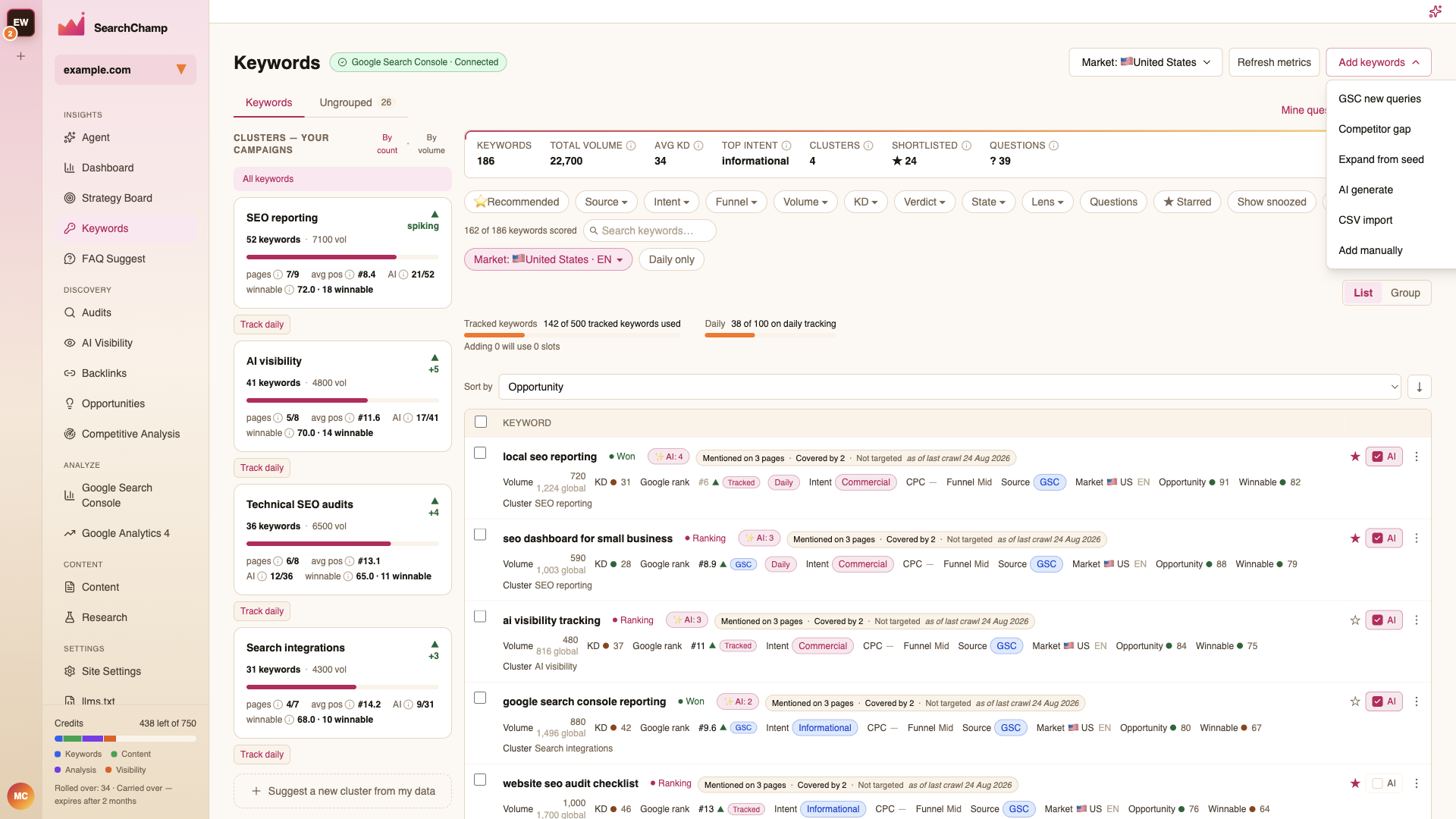
Add keywords in the top-right opens six sources. Use whichever matches what you already have.
| Source | Use it when |
|---|---|
| GSC new queries | You want queries Search Console has seen but you haven't saved yet. The fastest source if GSC is connected. |
| Competitor gap | You want keywords a competitor ranks for and you don't. |
| Expand from seed | You have a few starting terms and want SearchChamp to find the rest. |
| AI generate | You want ideas from your site's topic, with no seed list. |
| CSV import | You already have an export from Semrush or Ahrefs. |
| Add manually | You know the exact keywords you want, and there are only a few. |
Expand from seed and AI generate
Both open the same Generate keywords dialog. Pick a Mode, optionally give Seed terms (one per line), and confirm the Target region.
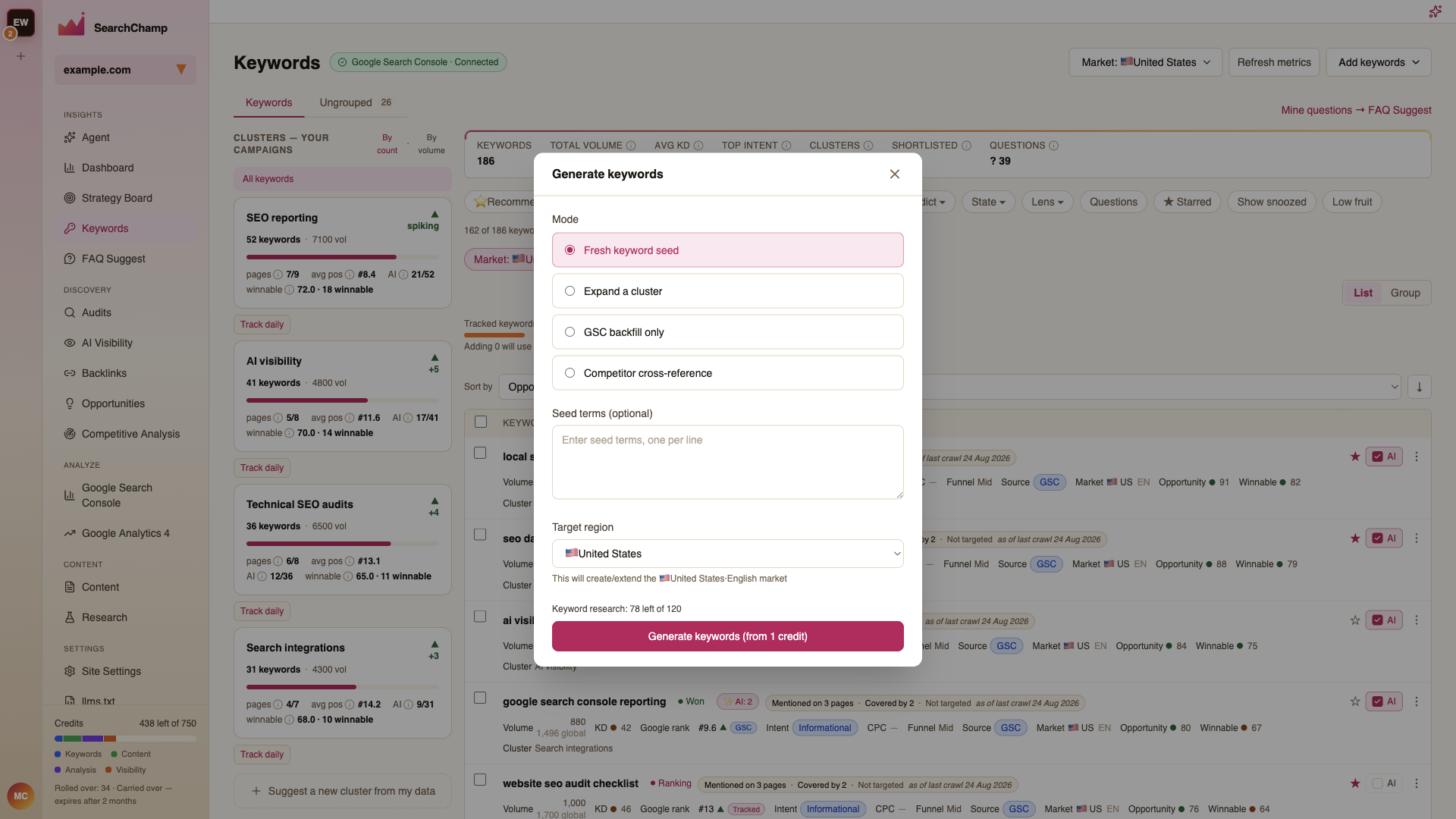
The four modes:
- Fresh keyword seed — expand outward from your seed terms.
- Expand a cluster — add more keywords to a cluster you already have.
- GSC backfill only — pull only from Search Console, no AI expansion.
- Competitor cross-reference — find gaps against your tracked competitors.
Generating costs credits — the dialog shows the cost and your remaining balance before you commit.
The target region sets which market the new keywords are measured in. If the market doesn't exist yet, SearchChamp creates it. See Markets and tracking.
CSV import
Drop in a Semrush or Ahrefs keyword export (.csv). SearchChamp maps the columns for you; you confirm before anything is saved.
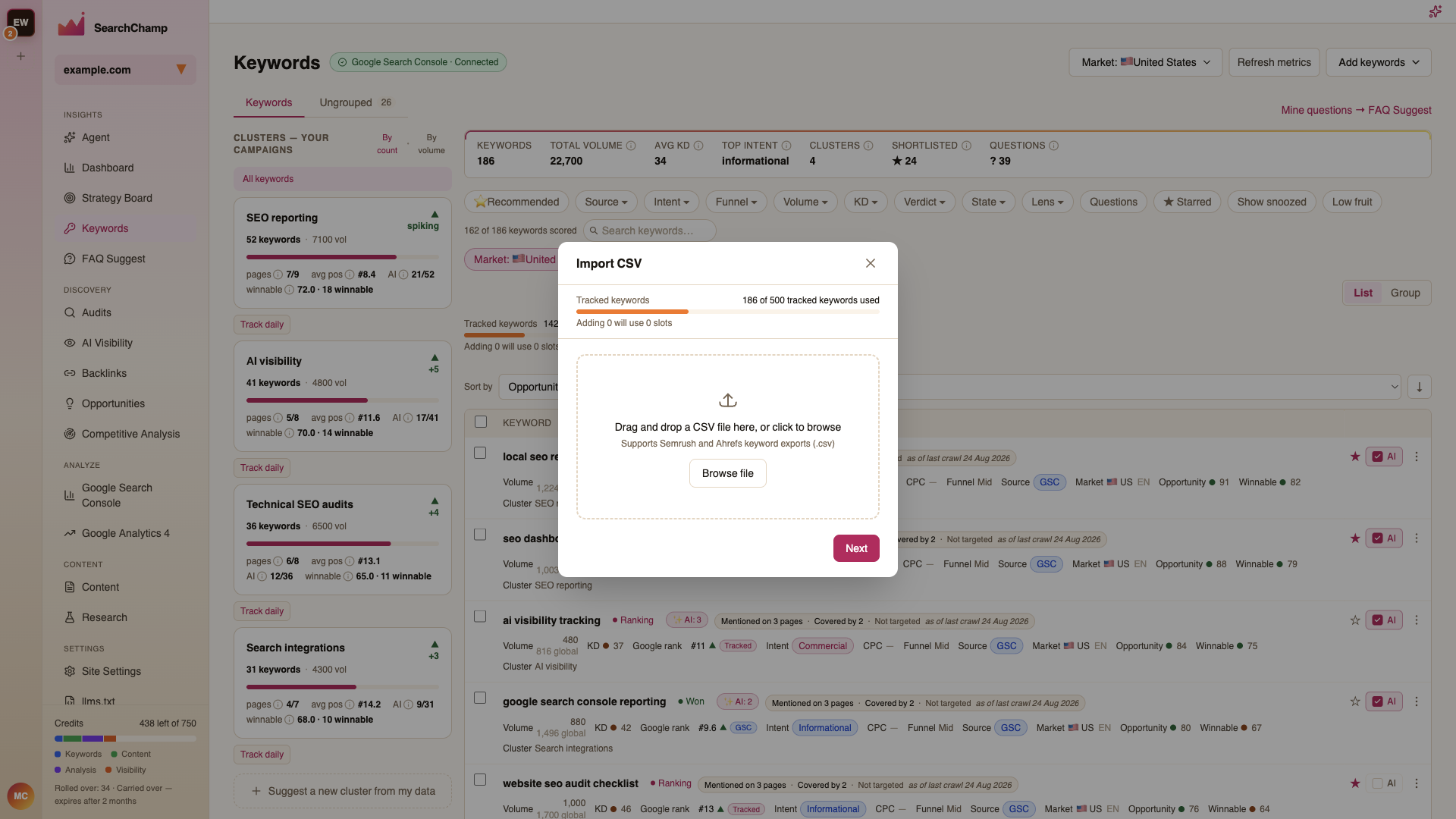
The dialog shows how many tracked-keyword slots the import will use, so you can see the cost before importing.