 SearchChamp
Clusters and grouping
Topic clusters, the cluster rail, and the Ungrouped queue.
A cluster is a group of keywords that belong to one topic — and, usually, one page you'd write. Clustering turns a flat list of hundreds of keywords into a handful of campaigns you can actually act on.
The cluster rail
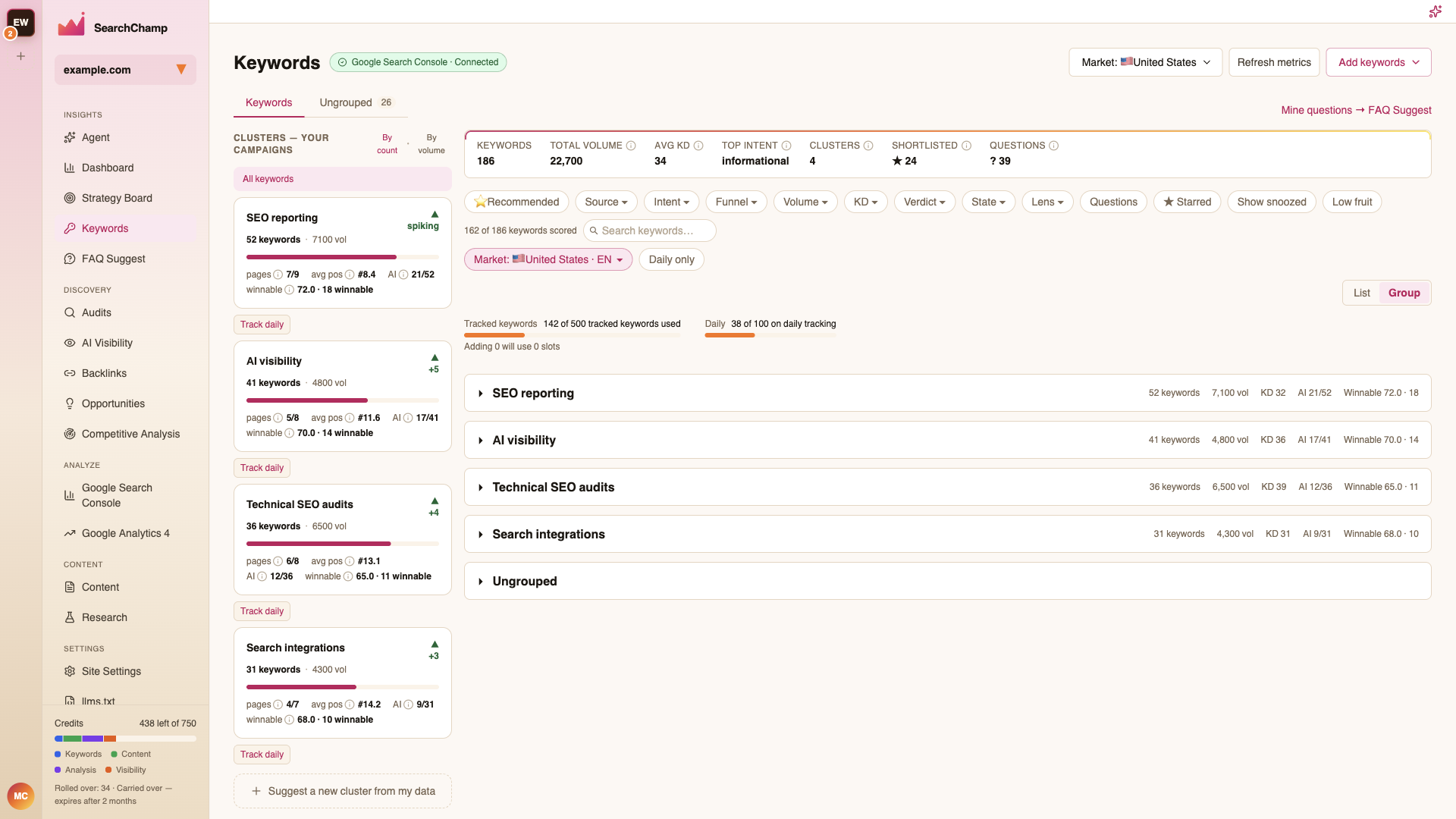
The left rail lists your clusters. Sort them By count or By volume, and click one to filter the table to it.
Each card shows the cluster's keyword count, total volume, a trend arrow, plus:
- pages — real pages covering the cluster vs. total page targets.
- avg pos — average Google position across the cluster's keywords.
- AI — how many AI engines cite your brand for this cluster's prompts.
- winnable — average winnability, and how many keywords clear the bar.
Track daily on a card puts that cluster's keywords on daily rank tracking.
Group view
The List / Group toggle above the table switches between a flat list and one collapsible section per cluster, each with its own totals.
Auto-clustering
Suggest a new cluster from my data at the bottom of the rail asks SearchChamp to find a topic your ungrouped keywords share and propose it as a new cluster. You review the proposed cluster and its keywords before accepting.
The Ungrouped queue
Keywords that don't belong to a cluster yet land in the Ungrouped tab, with a count badge. It's the same table with the same filters — a working queue rather than a separate feature.
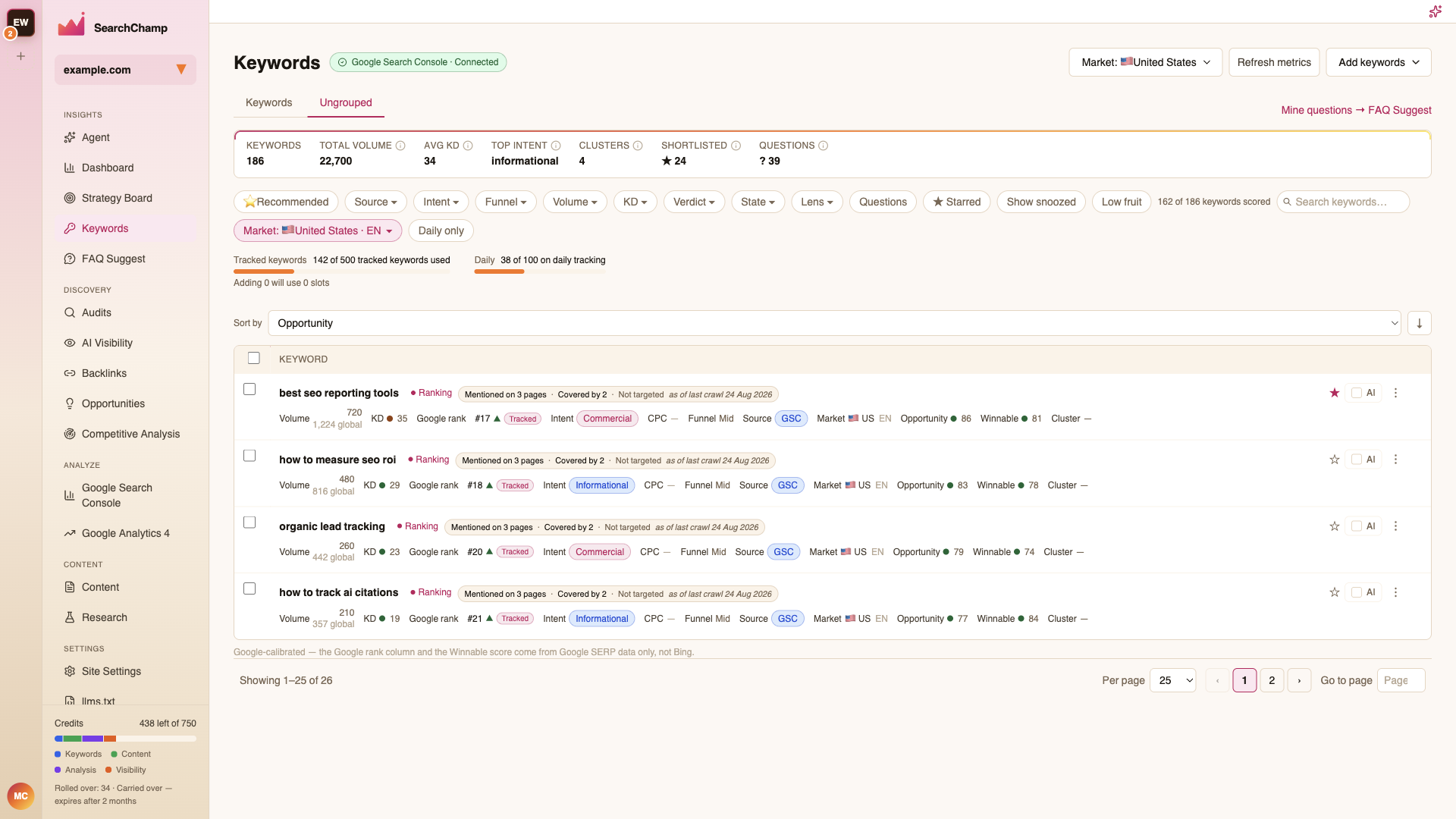
Work it down by starring what matters, assigning keywords to an existing cluster from the row menu, or letting auto-clustering propose a new one.