 SearchChamp
Competitors
How your link profile compares, and which links rivals have that you don't.
Competitor Compare
A side-by-side of your profile against each tracked competitor — DR, Referring domains, Total backlinks, and the snapshot date each figure came from. Your own row is pinned and marked YOU.
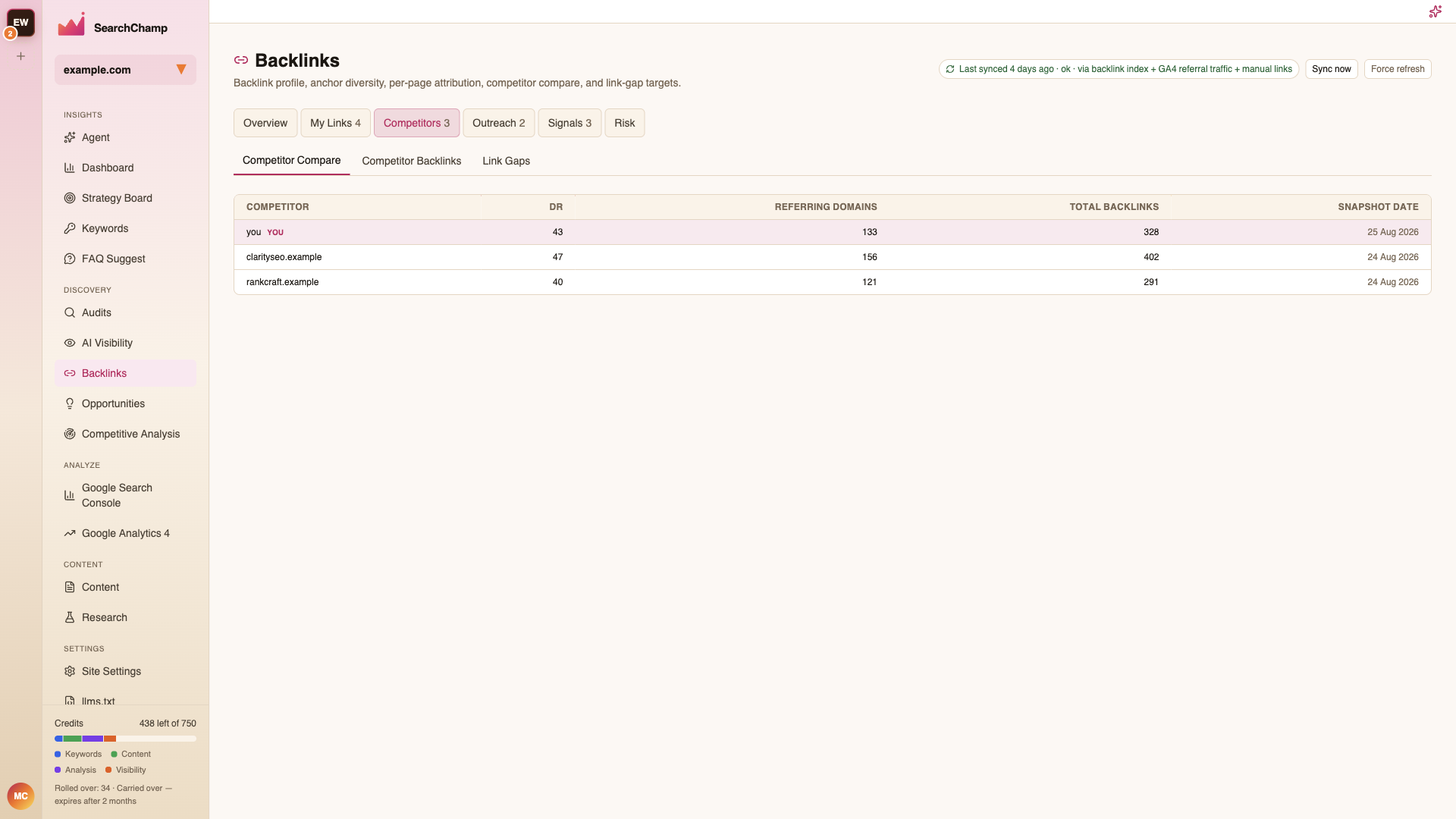
Snapshot dates matter: rows can be a day or two apart, so treat small differences as noise.
Add and manage shared competitors
Competitors (N) shows the site's shared competitors. Backlinks and Competitive Analysis use the same site-level list: Add competitor opens the same Add competitor form with a domain or URL, optional display name, and target location. Add rankscale.ai, or its HTTP/HTTPS URL; the saved host is normalized and appears once in both surfaces.
Adding a competitor does not spend a backlink-scan credit. Competitive Analysis may fetch its existing summary metrics separately. If no backlink snapshot is available, the row shows Not scanned and an explicit Scan backlinks action. A scan costs one credit; a forced refresh costs one credit too. A fresh cached scan can be reused without a new charge. Choose the action on the competitor you want to scan—it does not refresh unrelated rows.
Rows distinguish queued, running, fresh, stale, failed, and completed with no links. Compare authority, referring domains, backlink counts, snapshot dates, and source/provider together. A failed refresh retains the last successful snapshot with a stale warning; missing values are unknown, not measured zero. Use Check status if a scan takes longer than the bounded automatic status check.
Click a domain to inspect its individual backlink profile. Use the Competitive Analysis management link for existing edit options. Removing a competitor affects both Backlinks and Competitive Analysis; review the shared-list warning before confirming. Read-only members can inspect data; editing follows site permissions. Invalid, own-site, and already-tracked domains show actionable form errors.
Backlink counts are a signal, not proof of why a page ranks. Pair them with page relevance, intent match, topical coverage, content freshness, and SERP/localization checks.
Competitor Backlinks
The individual links a competitor has earned. Useful for spotting the specific publications and roundups in your space.
Link Gaps
Domains that link to one or more competitors but not to you — your most realistic targets, because they already link to sites like yours.
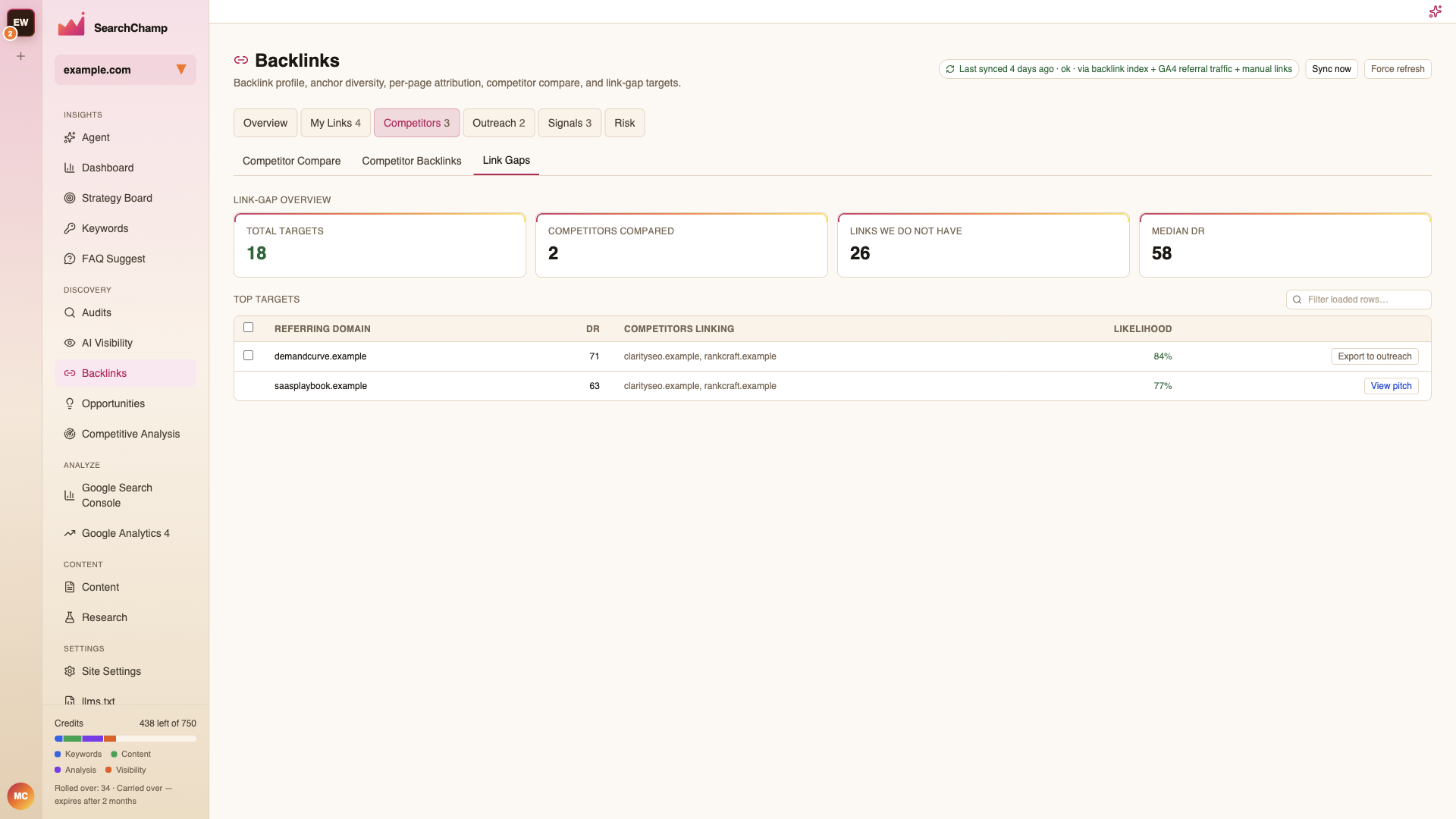
Work them from the top: a domain linking to several of your rivals is likelier to link to you than one that links to a single competitor by accident.
Send a gap straight to Outreach to start a pitch.
Find Prospects
Search the web for pages worth pitching, by topic. See Find prospects.