 SearchChamp
Outreach
Run link-building pitches from first email to landed link.
Outreach is the pipeline for turning a target into an actual link. A connected outreach mailbox is shown in the header.
Opportunity review
Choose Request a link on a competitor backlink or Review opportunity on a Brand Mentions candidate. Both open the same review before any pitch or draft credit exists.
- Review source. Compare historic provider evidence and its date with the live source, topic, anchor, link status and explanation. High authority alone does not qualify a page. Live results distinguish dofollow, nofollow/sponsored/UGC, missing, redirect-only and unverified links.
- Choose an asset. Up to three relevant owned pages are recommended from existing inventory. Each shows its title, URL, page type, indexed inbound links, average referring-domain authority, available stored quality or audit signal, and matching reason. Topic fit comes first; low backlink coverage only breaks ties between relevant pages. No indexed links found does not prove a page has never been linked. Missing quality is shown as unavailable.
- Confirm goal. Select the applicable goal, review the published contact route and confidence, and explicitly confirm the selected asset and 1 draft credit. A missing contact, irrelevant asset or homepage-only proposal cannot create a draft.
- Review in outreach. Read the contextual draft alongside its selected asset and source evidence. Sending remains manual, requires connected email and explicit approval, and is not triggered by creating a draft.
You can search for another owned page, create a relevant asset, or skip. Choosing a different recommendation, creating an asset or skipping requires a feedback reason. Analysis uses existing inventory and scores; it does not launch a new whole-site crawl, model analysis or embedding phase.
Shorteners and redirect-only sources do not produce generic email drafts. Profiles and self-service directories lead to listing/profile actions; contributed-content platforms lead to submission guidance; partnership, review and vendor directories use their dedicated route with disclosure guidance. Unknown sources need manual review. Only a qualified editorial opportunity with a relevant owned asset and reviewed contact can proceed to an email draft.
A brand mention already linking to the official domain or a configured alias is an existing citation, not an unlinked reclamation opportunity. A literal matching name on unrelated content remains false positive or ambiguous. Existing generic drafts without recorded source evidence are labelled for review or archival.
The sub-tabs
| Sub-tab | What's in it |
|---|---|
| Pitches | Every pitch, at whatever stage |
| Drafts | Written but not sent |
| Replies | Responses waiting on you |
| Templates | Reusable pitch copy |
| Links won | Pitches that landed a link |
| Recovery | Links you had and lost, being chased back |
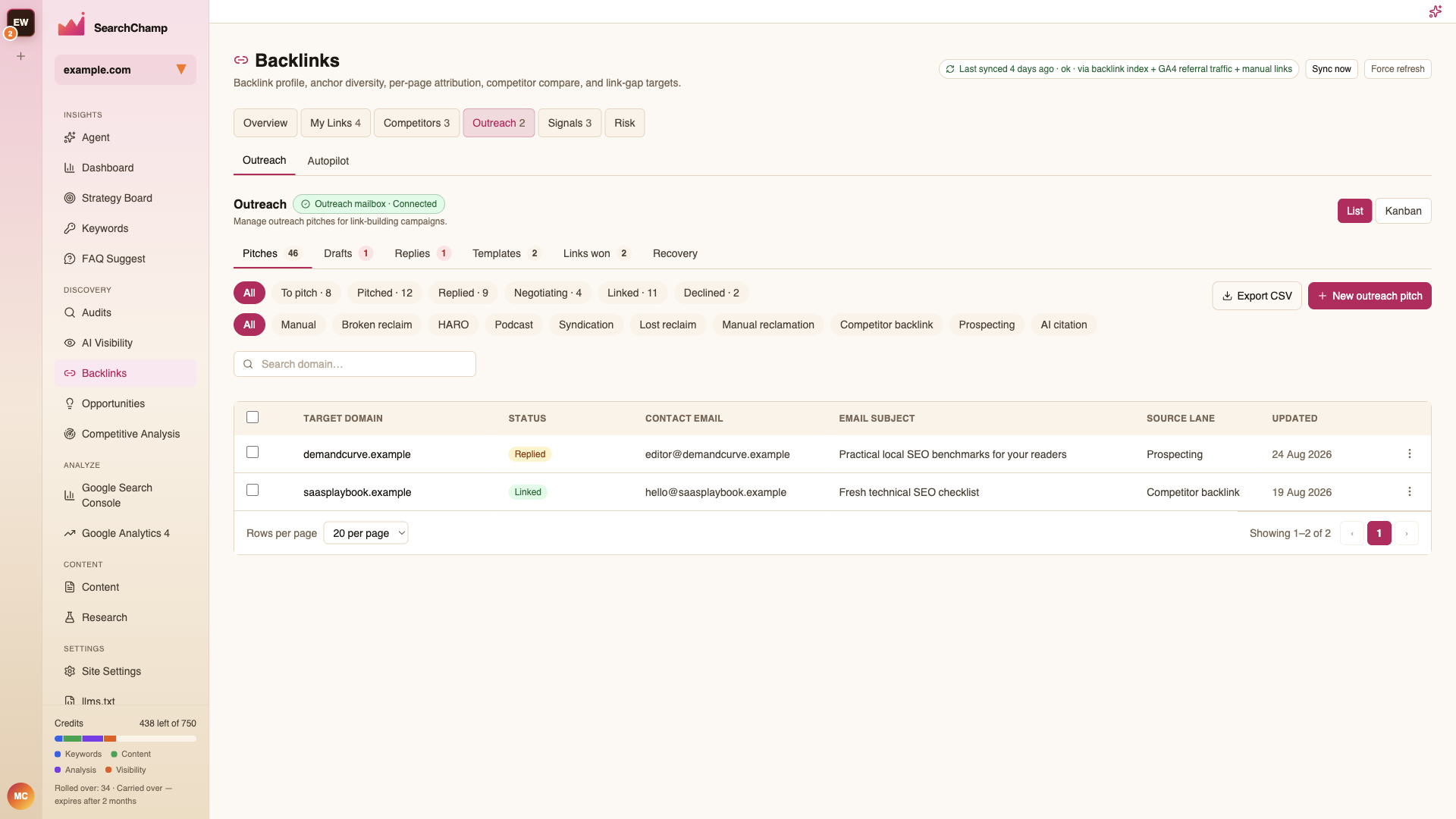
List and Kanban switch the layout — Kanban is the better view when you're moving several pitches through stages in one sitting.
Stages
To pitch → Pitched → Replied → Negotiating → Linked, plus Declined. Each filter chip carries a live count, so the shape of your pipeline is visible at a glance.
Lanes
The second filter row is the source of each target — Manual, Broken reclaim, HARO, Podcast, Syndication, Lost reclaim, Manual reclamation, Competitor backlink, Prospecting, AI citation.
Lanes are how you tell what's actually working. If Broken reclaim lands links and HARO doesn't, spend your time accordingly.
The table
Target domain, Status, Contact email, Email subject, Source lane, and Updated. New outreach pitch starts one by hand; Export CSV takes the pipeline elsewhere.
Templates
Reusable pitch bodies, so a lane that works becomes repeatable.
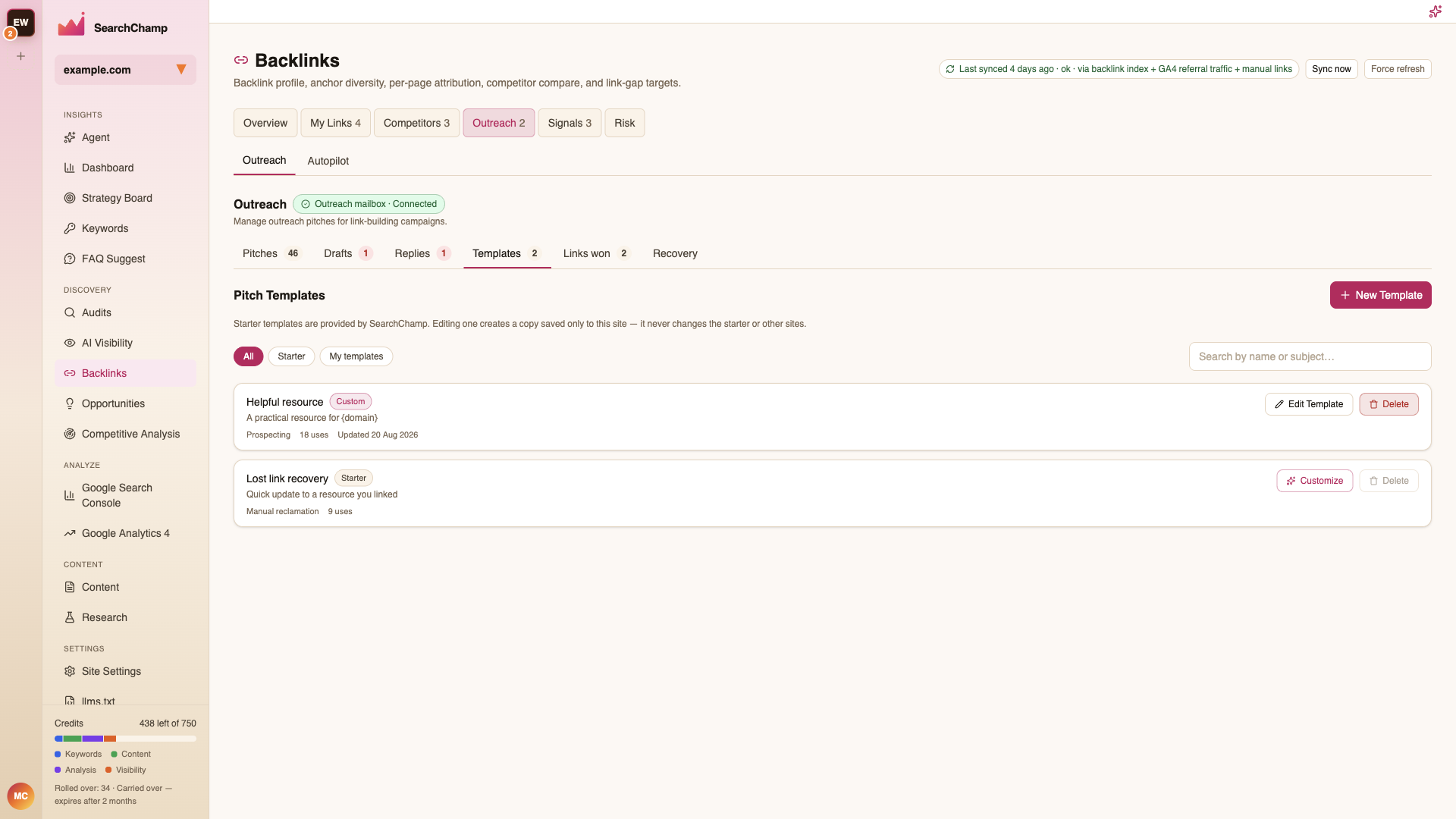
Templates come in two kinds, filtered by All / Starter / My templates:
- Starter — provided by SearchChamp. Customize one and you get your own copy; the starter itself is never changed, and neither are your other sites.
- Custom — yours, with Edit Template and Delete.
Each row shows the subject line, the lane it belongs to (e.g. Prospecting, Manual reclamation), how many times it has been used, and when it was last updated. Use count is the useful column — it tells you which template is actually carrying your outreach.
New Template creates one from scratch. Placeholders like {domain} are filled per
pitch.
Trial and sending safeguards
Trial accounts can draft outreach, but cannot send pitches or approve outbound replies. This applies to single sends, bulk sends, individual suggested-reply approval, and bulk reply approval. Lapsed trials are also blocked. Upgrade from Account → Billing to send.
Bulk sends use the same safeguards as single sends: only the pitch creator and designated sender can send an eligible pitch; required content and contact details must be complete; AI drafts must be approved; placeholders cannot be sent; and a connected mailbox is required. Ineligible pitches are skipped. A bulk action does not bypass site or workspace daily sending limits.
Daily caps are checked before enqueueing, and the sender checks hard caps when processing jobs. Queued does not mean delivered. Editing drafts, changing thread state, archiving, deleting and exporting keep their existing permissions.
Related articles
- Autopilot — run some lanes automatically