 SearchChamp
Corpus scope
Choose which site URLs SearchChamp includes when it builds the Internal Links graph.
Corpus scope controls which crawled pages SearchChamp uses for clustering and internal-link recommendations. Use it when an important section is missing or when utility pages are adding noise.
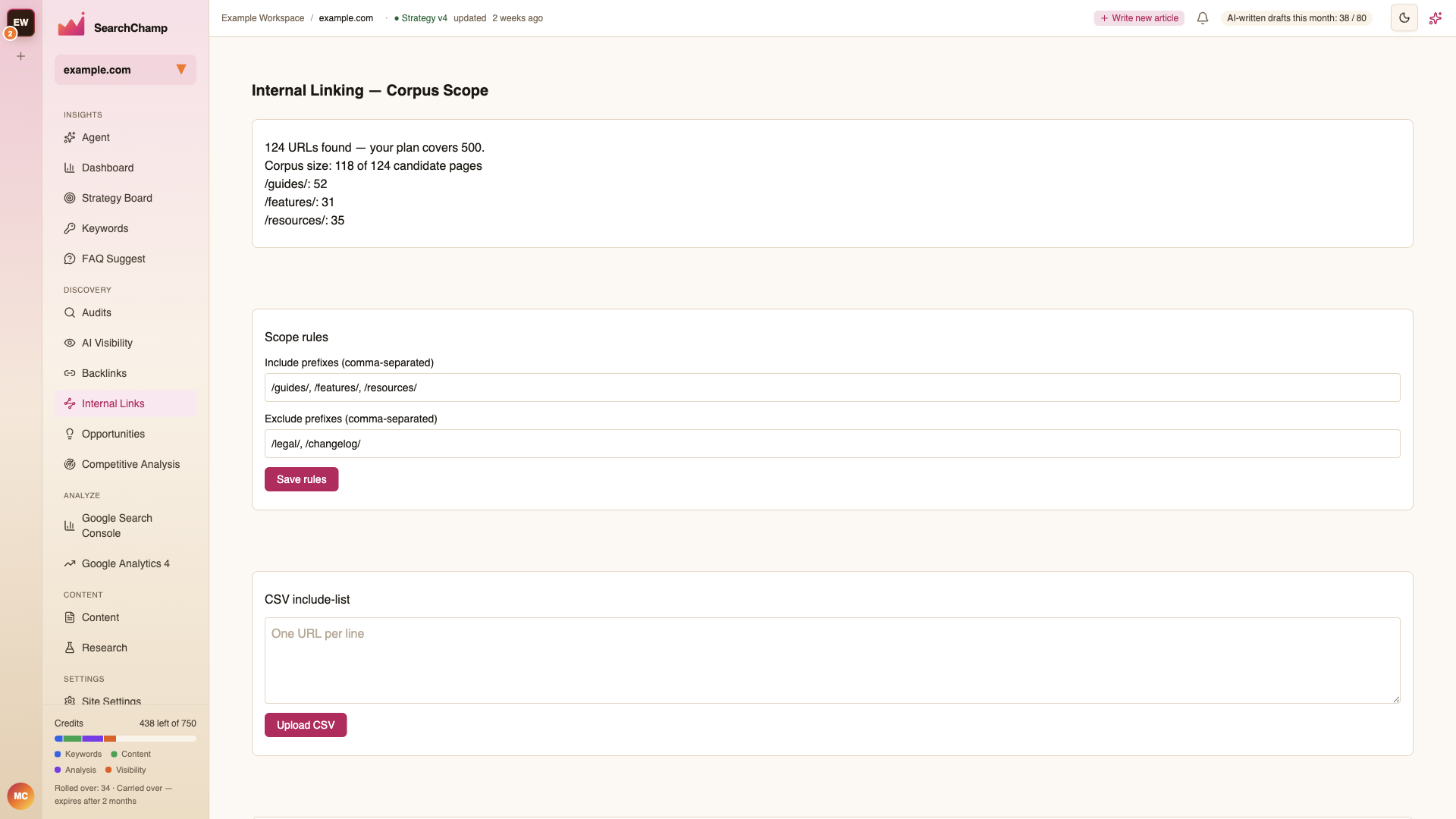
Understand the counts
- URLs found is the number of candidate URLs discovered for the site.
- Corpus size is the number currently included in Internal Links analysis.
- Plan coverage is the maximum number of pages your plan can analyze.
The prefix breakdown shows where included URLs come from, which helps you spot an unexpectedly large or missing section.
Set scope rules
Enter comma-separated path prefixes to include or exclude, then choose Save rules.
For example:
- Include
/blog/and/guides/to focus on editorial content. - Exclude
/tag/,/author/, or/account/when those pages should not receive recommendations.
SearchChamp prevents rules that would empty the entire corpus. Keep at least one useful content area included.
Upload an exact include list
Use the CSV include list when prefixes are too broad. Add one URL per line and upload the file. This is useful for a curated group of landing pages or a controlled test before expanding coverage.
Sync the corpus
After changing scope, choose Sync now to rebuild the analyzed set. Clusters and recommendations can change after the selected pages are processed again.
If a page is missing, check that it:
- Was found by the latest crawl.
- Is not removed by an exclude prefix.
- Matches an include rule or uploaded include list.
- Fits within your plan's page allowance.