 SearchChamp
Feature ReferenceAI Visibility
Opportunities
Prompts where competitors are cited and you aren't.
The Opportunities tab is your action queue: the prompts where rival brands get cited and you don't, ordered by impact. Closing these is the fastest route to a bigger share of answers.
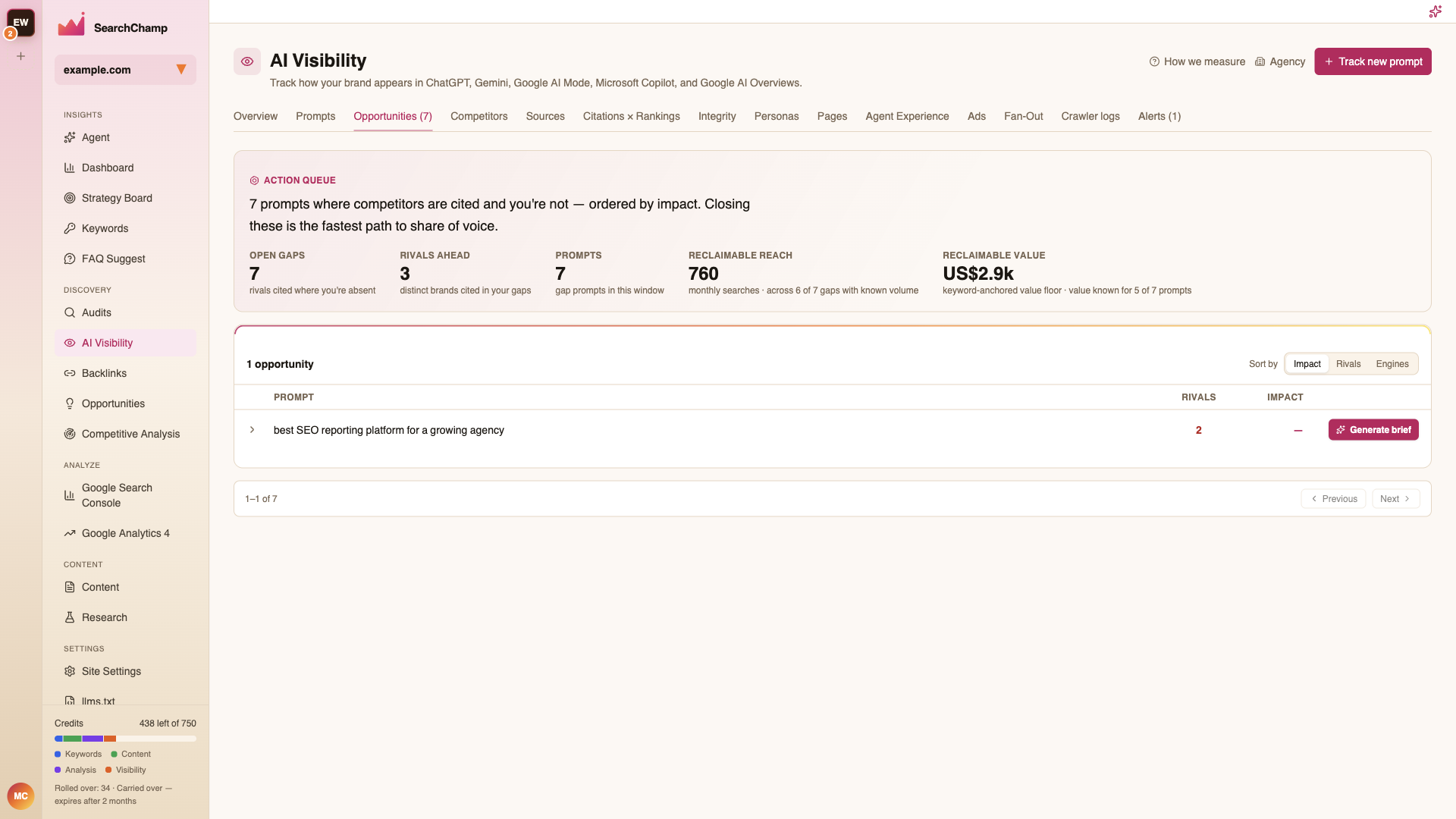
The summary row
| Metric | Meaning |
|---|---|
| Open gaps | Prompts where rivals are cited and you're absent |
| Rivals ahead | Distinct brands cited in those gaps |
| Prompts | Gap prompts in the selected window |
| Reclaimable reach | Monthly searches behind the gaps with known volume |
| Reclaimable value | A keyword-anchored value floor for winning them |
Reach and value are only counted for gaps where the underlying volume is known, so both are deliberate under-estimates rather than guesses.
Working the queue
Sort by Impact, Rivals, or Engines. Expand a row to see which competitors are cited and what the answers say.
Generate brief turns an opportunity straight into a content brief — the topic, the angle, and what the winning answers currently cover — which you can take into Content.
The tab's badge count (e.g. Opportunities (7)) is the same open-gaps number shown on the Overview card, so the two never disagree.