 SearchChamp
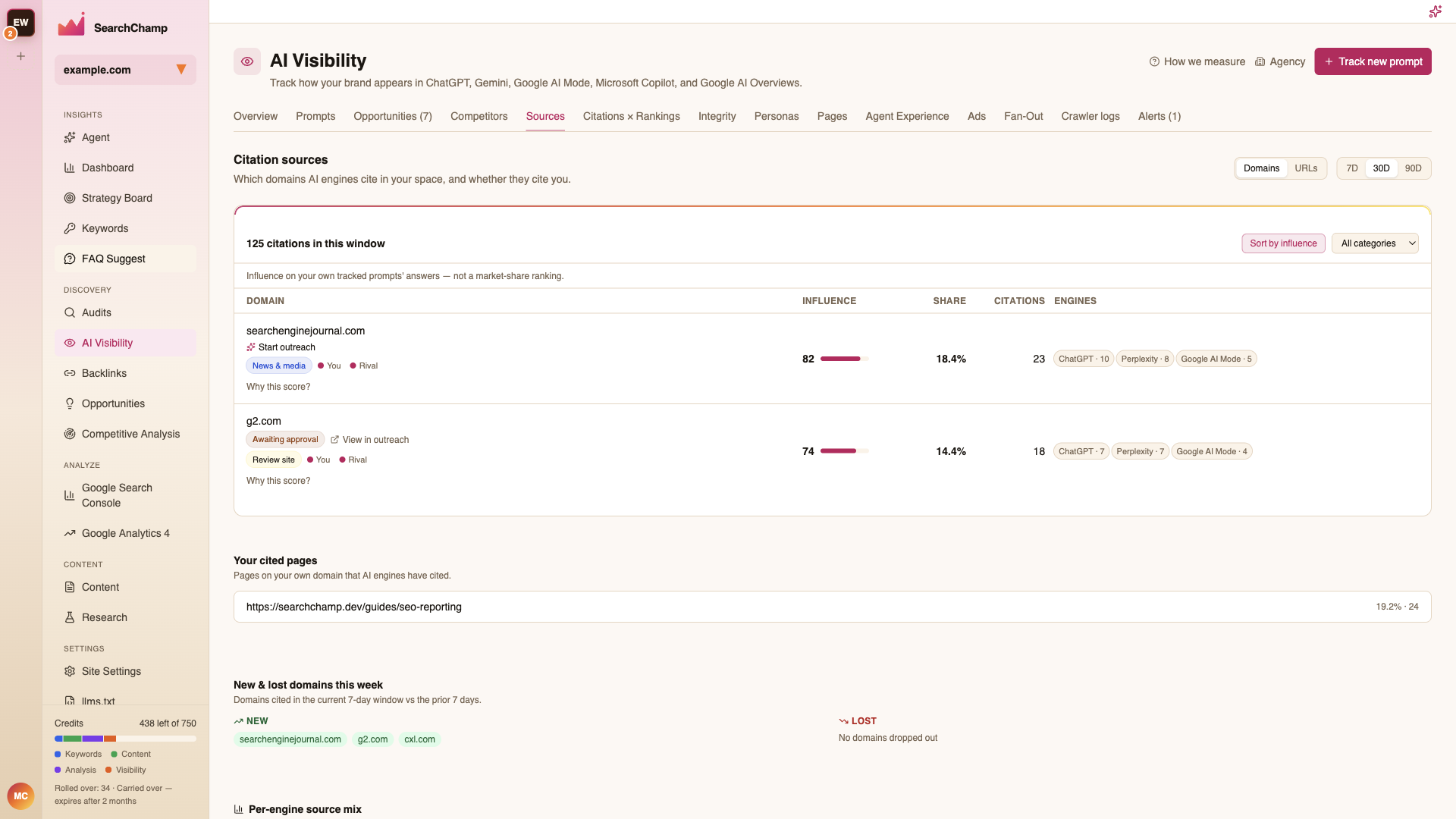
Citation sources
Which domains AI engines cite in your space, and whether they cite you.
When an AI assistant answers a question, it often draws on specific pages — sometimes yours, often a competitor's or a third party's. Citation sources shows you which pages and domains get cited for the prompts you track, so you can see what's actually feeding the answers your buyers read.
What you'll need
- A connected site.
- Tracked prompts — citation data is gathered as your prompts are checked. See Track your AI visibility.
How to read it
Open the Sources view
In AI Visibility, open the Sources view. It lists the pages and domains cited across your tracked prompts, with how often each one shows up.
See who's being cited instead of you
Sort by frequency to find the domains winning the most citations for your topics. Where a competitor or a third-party page keeps appearing and you don't, that's a gap worth closing with better content.
Turn it into work
Feed the pages you're losing to into your content plan — match or beat the cited page for that prompt. See Find your next content opportunities.
Citations × Rankings
Correlating your citations with your Google position is live on its own tab. See Citations × Rankings.
Plan availability
The Sources view is part of AI Visibility on paid plans and populates as your tracked prompts are checked — no separate setup. Tracking prompts draws on your plan's AI Visibility allowance.
FAQs
Where does citation data come from? From your tracked prompts. As each prompt is checked across engines, the pages the answers cite are recorded and rolled up here.
Can I see whether being cited helped my rankings? Not yet — that's the coming-soon correlation view. Today you can see who is cited and how often.
I have no sources listed. Why? You likely have no tracked prompts yet, or they haven't been checked. Add prompts on the Track your AI visibility page.