 SearchChamp
Prompts
The questions you track across AI engines.
A prompt is a question you want to know the answer to — literally. "What is the best SEO reporting platform for a growing agency?" SearchChamp asks each AI engine that question on a schedule and records what came back.
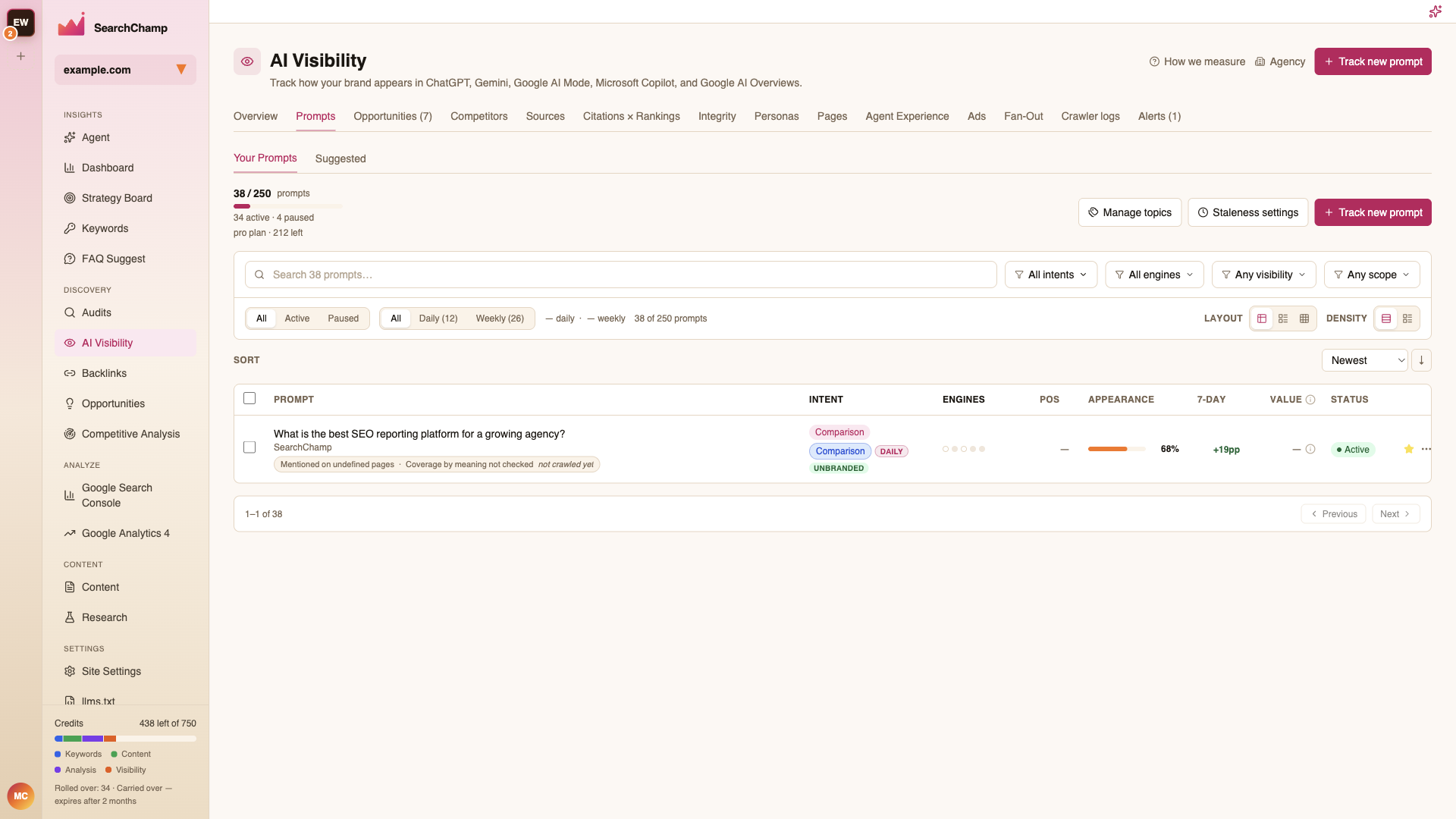
Your Prompts vs. Suggested
- Your Prompts — what you're tracking now, against your plan's quota (e.g. 38 / 250, split into active and paused).
- Suggested — prompts SearchChamp proposes from your site and keywords. Add the ones that match how your buyers actually ask.
The table
| Column | Meaning |
|---|---|
| Intent | Comparison, informational, and so on — plus a Branded/Unbranded marker |
| Engines | Which engines this prompt runs against |
| Pos | Your position within the answer, where the engine exposes one |
| Appearance | How often you appear in this prompt's answers |
| 7-day | Change over the last week |
| Value | Estimated worth of winning this prompt |
| Status | Active or paused |
Filter by intent, engine, visibility, and scope; switch between All / Active / Paused and Daily / Weekly cadence; and change Layout and Density to fit more rows on screen.
Adding a prompt
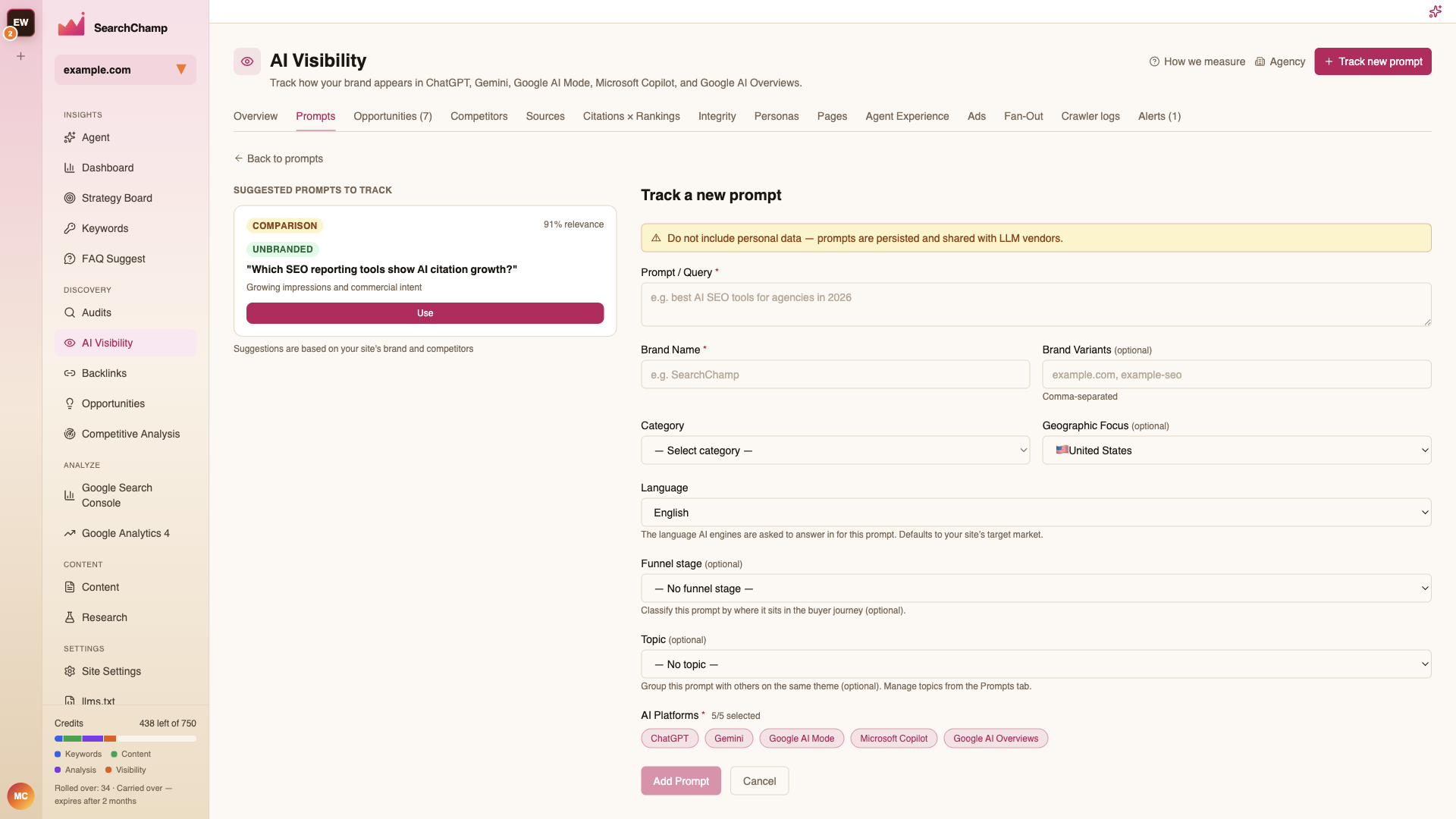
Track new prompt opens the form. Write the question the way a buyer would type it, pick the engines and the cadence, and save.
Prompt detail
Click a prompt to open it.
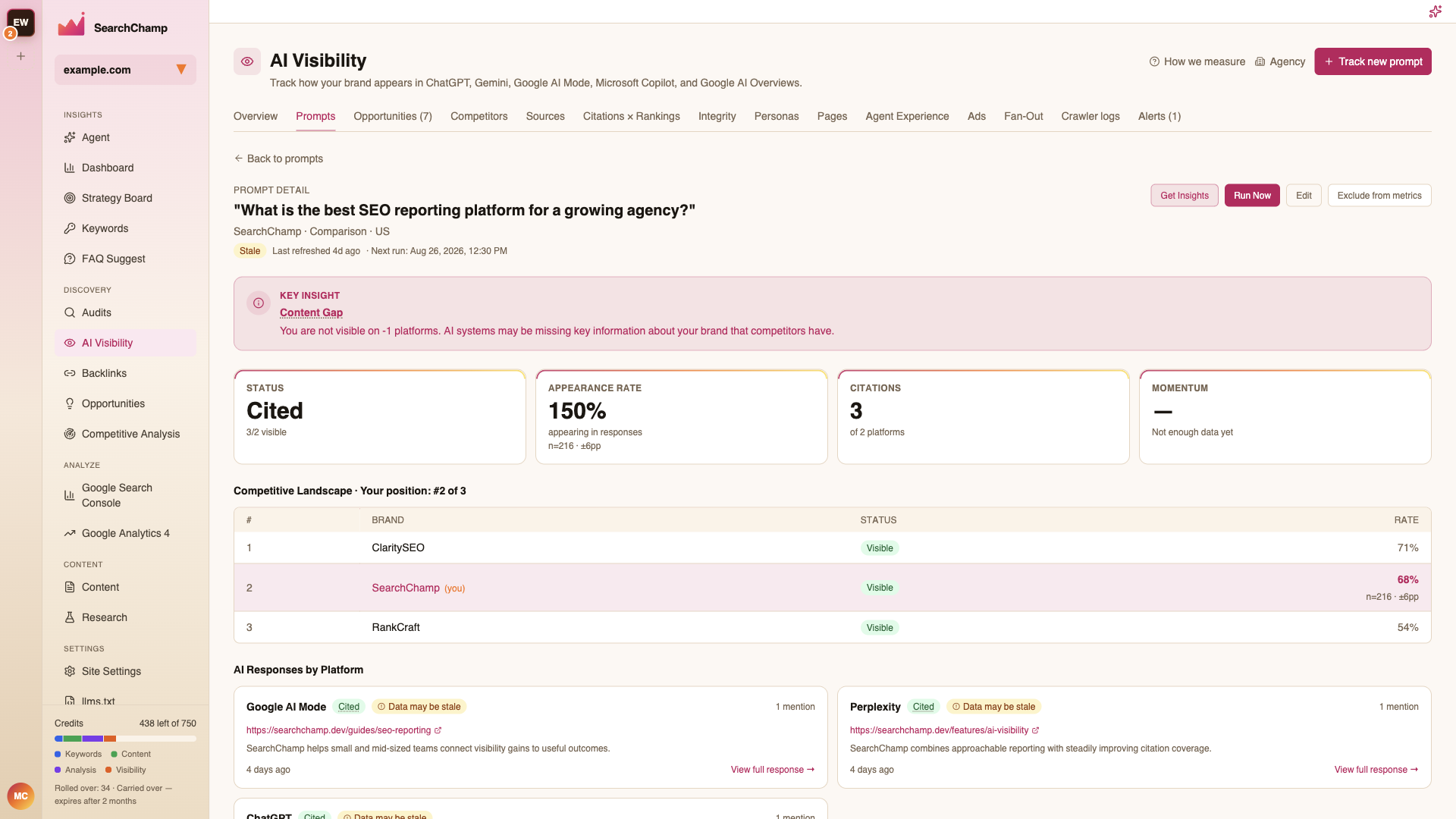
It shows the prompt's intent and market, when it last refreshed and when it runs next, whether it's gone stale, and the per-engine answers with the sources each one cited.
Other controls
- Manage topics — group prompts into topics so the Overview can filter by them.
- Staleness settings — how old a result can get before it's flagged.